The Whatis website says that “a Facebook group is a page created for an organization or business to promote activities. Users can join the group and post their thoughts on a wall and interact through discussion threads.”
A Facebook Group is an excellent way of using social media to get dialogue going around a particular topic. For instance, the Yellow Vests Canada is a group designed to share information about the members’ dissatisfaction with the sitting Liberal government.
See the example below.
Yellow Vests Canada Facebook group
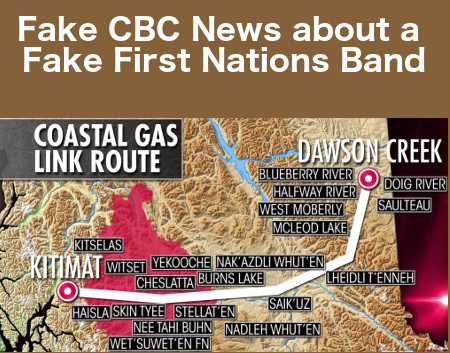
The image above accompanied this story:
The CBC reports that the First Nations bands are trying to block the Eagle Spirit pipeline that would move Alberta natural gas from Dawson Creek to Kitimat.
That’s a lie.
Stephen Buffalo, the President/CEO of the Indian Resource Council, was asked why First Nations wanted to spearhead a pipeline through their land. He said he wants to see people working instead of living on handouts.
Every single First Nations band along the proposed pipeline route has signed an agreement to let the pipeline go through their land. That includes the Wet’sywet’en band.
There is a corporation largely funded by white people called the Office of the Wet’sywet’en Society (OWS). They are trying to stop the pipeline. The CBC has told the Canadian public that a First Nations band is blockading the pipeline. That’s a lie.
The OWS is not a First Nations band. It is a company that fraudulently receives money from our government.
This post discusses how you can insert two different types of animated GIFs into Facebook. In a nutshell, to add your animated GIF, you first of all paste the URL of the GIF into Facebook. Then you add a few spaces and type in your text.
There is a petition going around Canada demanding that the RCMP arrest Prime Minister Justin Trudeau for treason. Emails & social media send people to the Petitions24 website. The main web page begins with the 4 paragraphs below.
Justin Trudeau, with the Liberal government, has conspired with known terrorist and former Nazi collaborator George Soros to sell Canada’s Syrian migrant policy to 13 undisclosed countries. Soros’s (Open Society Foundation) role on the world stage is: fund regime change and/or destabilize nations, fund terrorism and import unvetted Islamic economic migrants infiltrated by radical Islamic terrorists under the false pretense of “refugee”. Trudeau and Soros have just increased migrant entry from 25000-50000+ per year. In 2 more years there will be an army inside the border.
Considering Canada and “western” nations have been at war with radical Islamic terrorists since 9/11, the Liberal government actions constitute HIGH TREASON (section 1B,1C) and TREASON (section 2A-2E) as defined in the criminal code of Canada and is punishable with life in prison.
This has nothing to do with race or racism. It is about an immigration policy mirrored in europe which is now openly admitted to be a dangerous failure and still… Trudeau has brought it home to you.
The Trudeau Liberals have legislated similar migrant policy, hate speech laws, sharia blasphemy laws, and political correctness as Sweden. Swedish women and children are now suffering the most brutal and violent sexual assaults at the hands of Radical Islamic terrorists. These laws have rendered the police and the male citizens powerless to stop these vicious attacks due to risk of imprisonment. This will be the Trudeau/Soros legacy in Canada should you choose to ignore this issue. Read more.
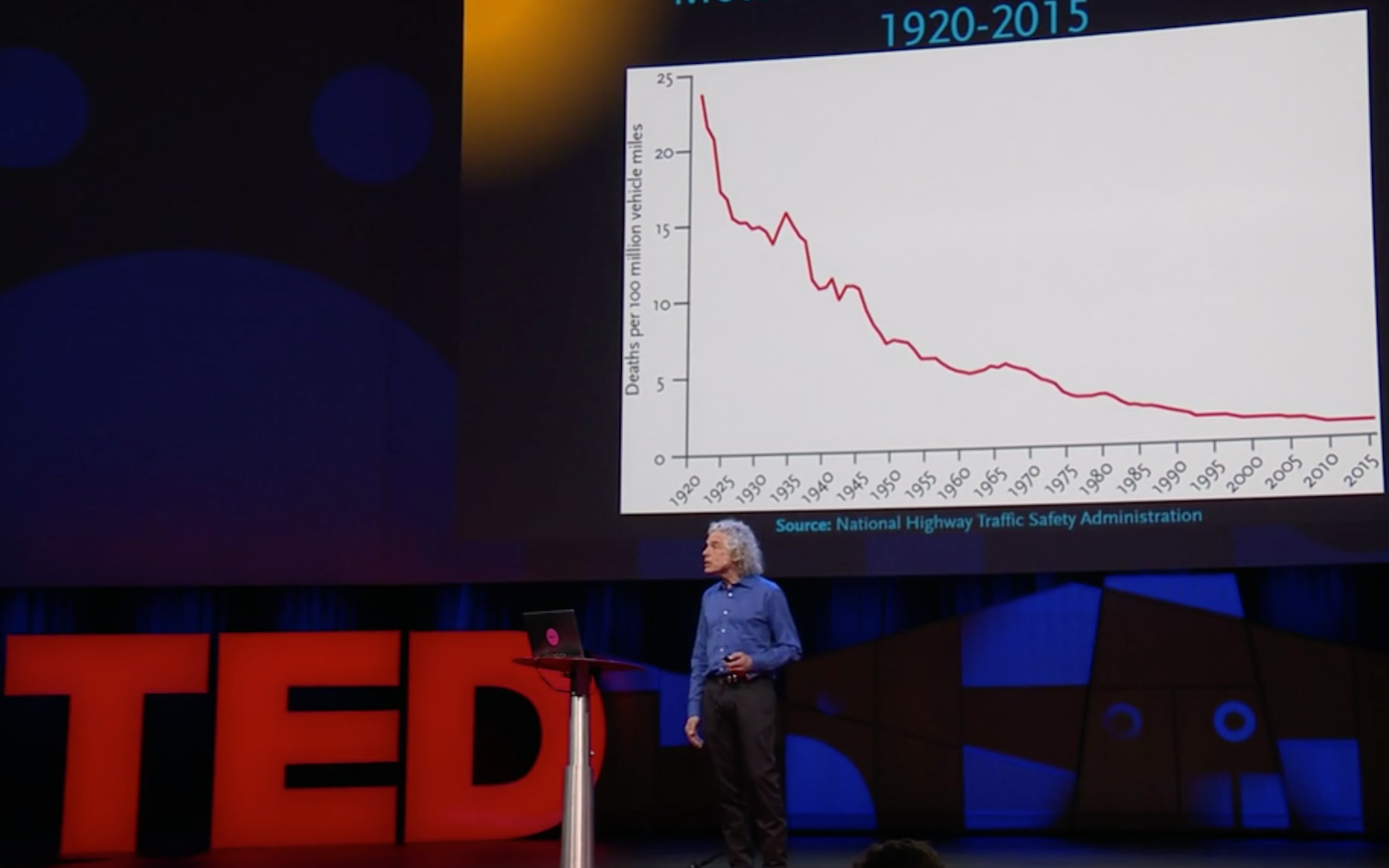
The statistics tell us that the world’s people are becoming more literate, working shorter hours, enjoying more electricity & running water and enjoying much less homicide. The human race is becoming healthier, wealthier, wiser, safer & healthier.
Let’s keep it that way in Canada & get rid of our prime minister.
How to get the message out
The list below gives links on how to use various social media to get this petition message out:
What are we trying to prevent?
Before Justin Trudeau became prime minister, our budget was balanced and our grandchildren could look forward to good future. Trudeau has given billions of our tax dollars to foreign entities such as the Clinton Foundation and an Aga Khan Afghanistan charity. We have to pay for that with increased taxation.
Watch the YouTube videos below to get an idea of the type of immigrant his policies will bring into Canada.
Why many people don’t get results with Facebook advertising
So, you’ve set up your FB advertising so that the ads are available to your ideal target market. You’ve created an amazing landing page with a call to action (CTA) that will make you a huge number of sales.
Now all you have to do is create a Facebook ad that links to that landing page, right? WRONG!
Remember, you are doing interruption advertising. A Facebook user is seeing your ad. You’ve interrupted the flow of that user’s emotional state.
People buy things when they are feeling the right emotion. If they do click on your ad, they may be feeling curious. But, there are better emotions than curiosity to work with.
Build an emotional relationship
Before visitors leave your Facebook feed, you must build a relationship with them. The best way to do that is to have a video about your subject matter. Learn how to create YouTube videos.
The videos do NOT have to be super professional looking. But, they should get the viewers emotionally involved with your brand.
If you have multiple YouTube videos, you can have them linking together. (See Related Pages at bottom of this post.) Google owns YouTube. The first Google page you see often has a number of YouTube videos. Using the right SEO can help get your YouTube videos on page one of Google.
Earn a percentage of the selling price for every book sold.
Remember that the LAST step for creating a demand is to create and start showing your FB ad.
1. Examine your offer
The first step in creating a demand is to examine the product or service the product you want to sell. Ask yourself precisely how it will make the customers’ lives better.
2. Decide upon ideal customer
If you are selling a product or service that could be used by more than one demographic, decide upon one demographic and have a marketing campaign aimed at them. For instance, the ebook we are selling could be used by a wide variety of businesses including restaurants. We decided to start our first FB advertising campaign aimed at restaurants.
Deciding upon your ideal customer is more than knowing their geographical location and their career. You want to know their desires, pain points, concerns, irritations, frustrations, joys, motivations, etc.
Understanding what makes your potential customers tick is one of the most valuable skills you can learn. It you understand them, it becomes very easy to identify a problem that the market has, start providing a solution and making lots of sales.
3. Craft a message for that ideal customer
Create a message that promotes your product or service & at the same time addresses some of the desires, pain points, concerns, irritations, frustrations, joys and motivations of your audience.
For instance, one possible pain point for a restaurant manager could be a lack of customers and therefore low profits. So, your message could include the idea that they could get more customers and increase their profits by catering to customers with disabilities if a more effective manner.
They could buy your ebook and use it for a staff training manual.
Once you’ve figured out your market’s needs, wants and desires, all you have to do is highlight the problems that they have and presenting your solution in the right way that will resonate with them.
For video FB advertising, the message for the ideal customer is given by using both the text above the video and the video itself.
Facebook does
4. Visually represent message
Decide upon how you will visually represent that message.
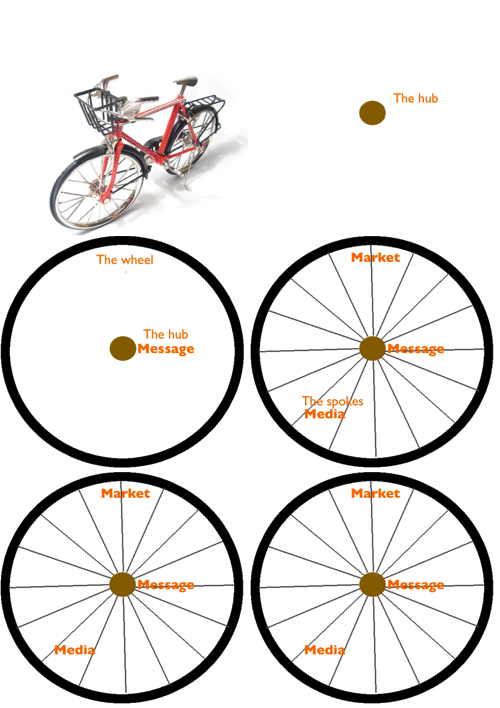
A marketer by the name of Alex Mandossian represented the whole marketing process with a bicycle wheel. He said the hub is the message, the wheel is the target market & the spokes are the messages. When you have more spokes, you will have a multiplier effect in your advertising.
So, after you have one message, you can represent the message in a number of different media.
5. Begin FB advertising
Create a video and launch your ad.
Just in case you decide to create your video before you read the rest of this article, I had better give you some tips:
Most people go onto Facebook using their smartphones and most people watch their videos with the narrow edge at the top.
Give video aspect ratio of 9:16.
Dimensions of my video — 600 x 1066 pixels.
With some exceptions, the videos are restricted to 125 text characters.
Go to a site such as freeimages.com and get some high-quality images for your video. You have to pay for the best pictures.
You should have a high-quality website with a landing page people will get to when they click Learn More. See example and read through it.
Keep video short. Mine is around 15 seconds.
Example of creating a demand for a product Using FB advertising
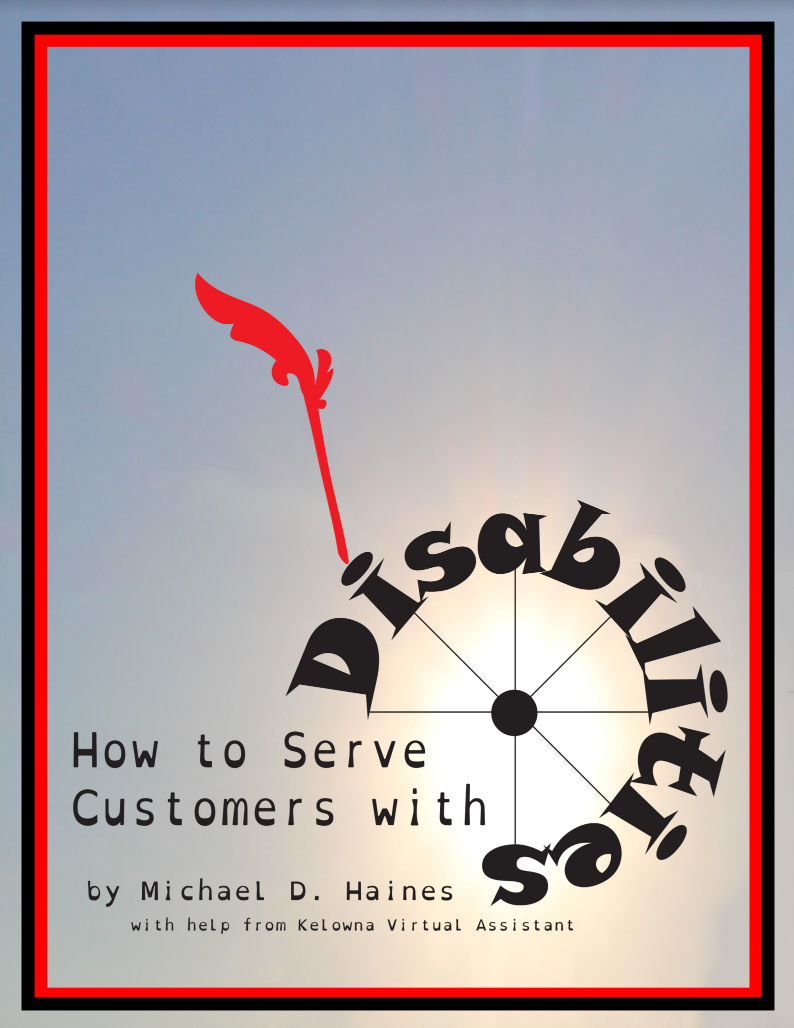
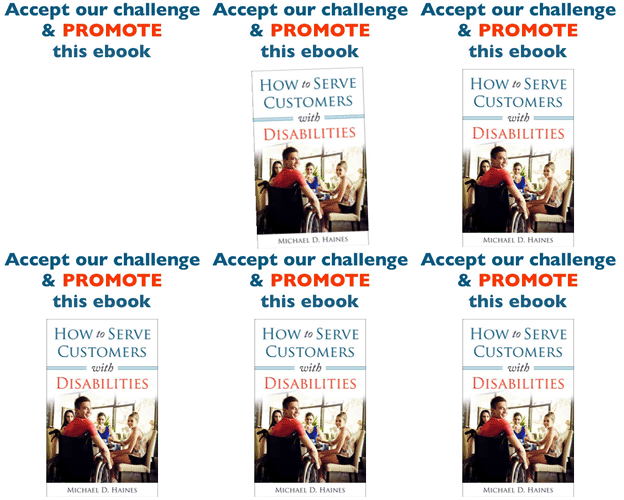
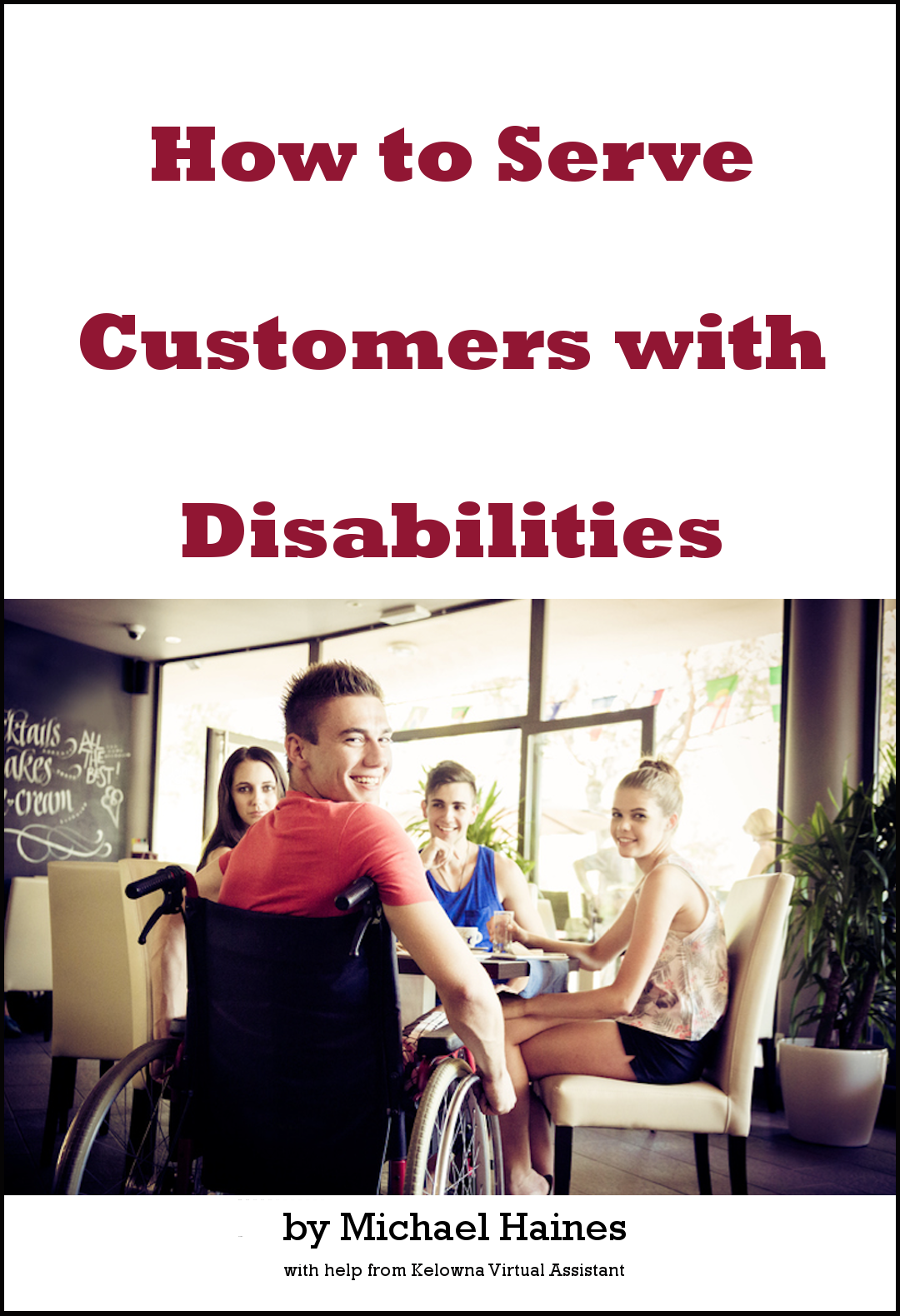
The example we will use here is an ebook entitled How to Serve Customers with Disabilities. Below I will explain in detail how our marketing strategy relates to the five points above.
1. Examining the offer of the ebook
This step involves deciding how the ebook will improve the life of someone who buys it.
As we were writing the ebook, we decided that one of the demographics our marketing would aim at was restaurant managers. The logic is simple.
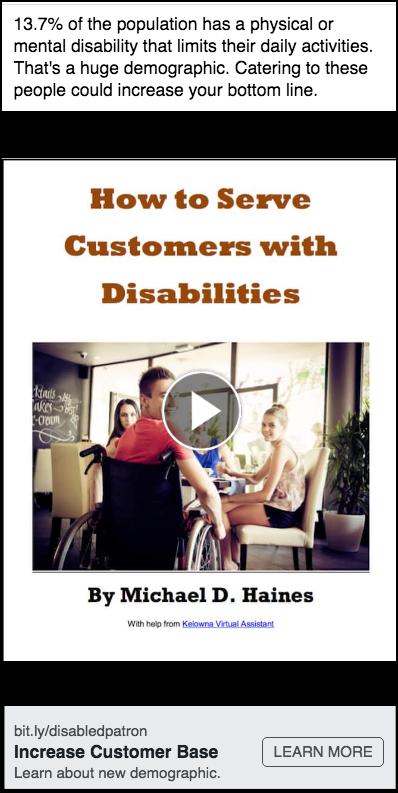
According to Statistics Canada, 13.7% of the population has a disability that interferes with their daily lives. It is safe to assume that most other countries would have a similar statistic.
The ebook is designed to help restaurant management train their staff how to make people with a wide variety of disabilities feel welcome. This in turn will make people of this demographic come to the restaurant more often along with their families and friends.
Furthermore, this will make the restaurant manager’s life better.
2. The ideal customer who buys this book
We decided to have a marketing campaign aimed just at restaurants:
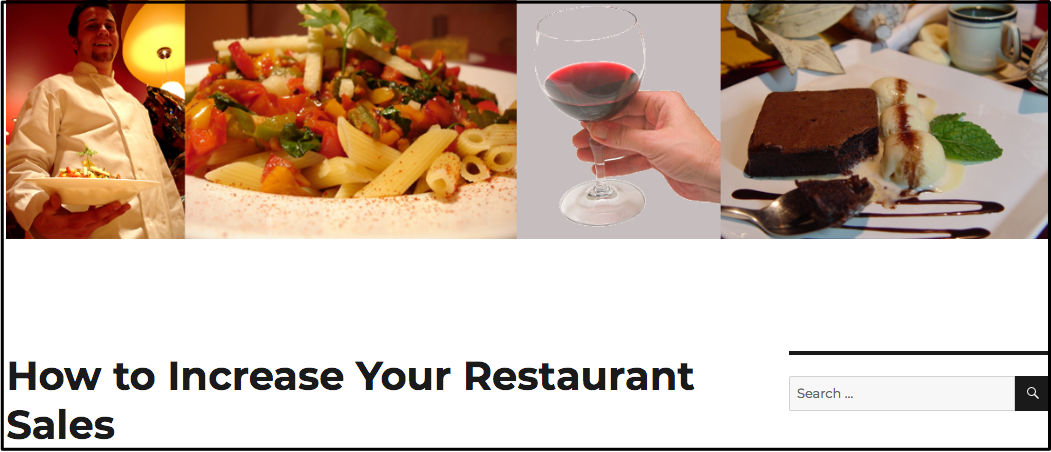
We created a website designed to help increase restaurant profits.
Our FB advertising wrote about how restaurants could increase their sales.
Our ideal customer would work in restaurant management. So, for our Facebook ads, we decided to aim at people who described their job as Restaurant General Manager. (There are over 25,000 of them who have Canadian Facebook accounts.)
Now I want to imagine some of their desires, pain points, concerns, irritations, frustrations, joys, motivations, etc.
Pain points could include sales and therefore profits being too low. Their spouse could consider them too grumpy because the sales are too low. Staff morale could be suffering because the staff do not know how to serve customers with disabilities Morale could also be low if the number of customers and therefore the amount of their tips is too low.
Points in the above paragraph should be included in the script for the FB advertising video.
3. A sample message for that ideal customer
The message will become a YouTube video. With the FB advertising, it will be an MP4 file.
I want them to watch the video to the end. So, I have to keep adding things that will make them want to watch more.
I want them to be emotionally involved with the video. So, I will include pictures of people with various physical or mental disabilities.
Such a video should include valuable information. So, I will include some information from the ebook. Some valuable information will be at the beginning of the video; some will be at the end.
It’s valuable for a variety of reasons. Perhaps you:
Want to increase your customer base.
Want to increase your profits.
Want your spouse to be happier with you because you’re making more money.
Want to increase staff morale because they don’t know how to treat customers with disabilities.
Want to have a manual to help you train your staff how to treat customers with various disabilities.
Now let’s talk about falls.
Falls are a major cause of injury and death among the elderly.
Call 911
If the person is in serious pain or has clearly suffered an injury.
If the person cannot get up by themselves.
NEVER help a person get up if they cannot do so by themselves. You may cause further injury to them or injure yourself.
Let an emergency medical technician (EMT) move them.
To decrease the risk of falls
Remove clutter from entryways.
Clear passageways to bathrooms.
Securely fasten mats that could be a tripping hazard.
Use proper signage when floor is wet.
Ensure floor spills are wiped up immediately.
Enhance lighting at all entrances and staircases.
Install grab bars in bathrooms.
Add banisters next to all steps.
Add a graduated slope if at all feasible.
Learn much more how to serve people with disabilities. Click on this video to buy or else learn more about the book How to Serve Customers with Disabilities. If clicking this video does not work, go to Disabilities-Introduction.
4. Decide how to visually represent that message
I was working on visual representation as I was creating the script above. The images in that script tell a great deal of how I will visually represent the message in my FB advertising video.
5. Begin FB advertising
I was going to use the script above for a Facebook video ad. Instead, I displayed it on the page people get when they click the Learn More button.
I found out Facebook does not like much text in their videos. With some exceptions, the videos are restricted to 125 text characters.
So, I created the very short video ad you see below.
After the video is finished, I will use it in a Facebook ad. To get an idea how I create the ad, read the blog post with the sample of the creation of a Facebook ad.
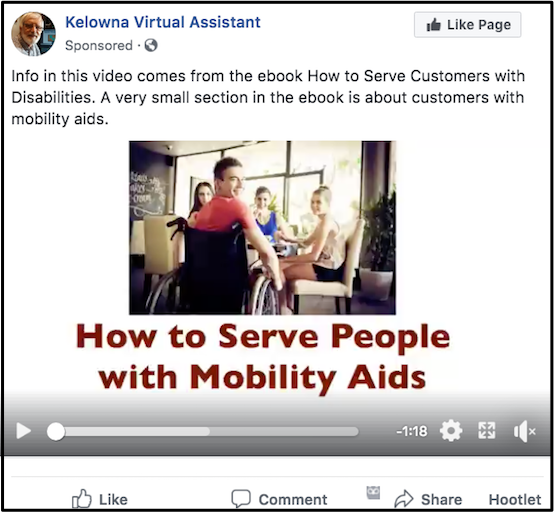
The ad the viewers saw is between those two coloured bars below. (It was posted on Facebook as an MP4 file and NOT as a YouTube video.)
It is often a good idea to make several different videos. Each one could be slightly different. After running the ads for a week or two and alternating videos, choose the best one. See the sample of a second video below.
Example of Facebook video ad setup
As I write this post about FB advertising, I’m setting up a FB video ad. I shall give you step by step points of what I’m doing in the order I’m doing it.
Prior to this I’d created the 15-second video you see directly above this Example section. Then I’d gone into FB Ads Manager and created a brand new Campaign. Within that I created an Ad Set. Then I clicked on the Ads tab to the right of the Ad Sets tab. Then I clicked the green Create button.
Then I began to create the ad.
1. Got identity right
The FB advertising will be on both FB and Instagram. So, I made sure ad was connected to the right Facebook page and Instagram account. In my case they were both Kelowna Virtual Assistant.
2. Uploaded MP4 file
Under the Video title I dragged and dropped the MP4 file in.
To my surprise I got a message saying there was too much text. So, I made the video over again. I replaced the last shot of the ebook cover with the faded shot of the waiter from the first shot. I replaced text with “Make ebook required reading”. I reduced the font size of some of the text.
Then I cleared the videos and dragged and dropped the next MP4 file in.
I did not like the thumbnail. So, I clicked Thumbnail & Captions and replaced it with an image from the front that has the complete title of the video.
3. Added text
I added the text that would appear above the video. This should be persuasive text that will help give readers a reason for wanting to buy.
4. Linked to web page
Several weeks ago I had made a website aiming a my demographic. It had one page designed to help persuade people to buy the ebook. You can see it at bit.ly/disabledpatron.
At this point I’m going to make things complicated for you. Sorry! But, as well as the URL, I want to add some code so that you will know where the visitors came from.
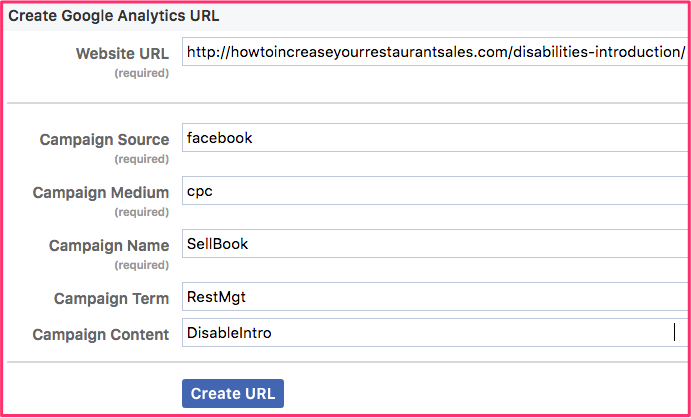
I went to the page that has the Campaign URL builder form and filled it out like what you see above. The website URL is the page designed to persuade people to buy the ebook.
I clicked on Convert URL to short link. Then I copied the short link intomy clipboard and used Cmd V to paste it into the Facebook ad page where it says Add a Website URL.
Because that short link has the tracking information, I left the URL Parameters box blank.
5. Added headline
The more persuasive your headline, the more people are apt to click on your ad. I know that “how to” ads are often effective. I went to Headline Analyzer to see how effective How to Increase Your Bottom Line was. The score was 82%. That means it is highly persuasive and that’s what went into my FB advertising.
6. Add News Feed Link Description
For News Feed Link Description I used How to increase your customer base: Make this ebook required reading for all servers. I used Headline Analyzer and got 74% for the part before the colon. That should encourage people to read the entire Link Description.
7. Call to action
For call to action I selected Learn More. That would automatically link to bit.ly/disabledpatron.
8. Facebook pixel
I already made a Facebook pixel for another campaign. So, nothing else has to be added in the Tracking panel.
9. Targeting, budget, etc.
You will see this box near the top of the second panel The daily budget will start out at $6/day. We will add 50% of the net sales revenue to the budget as the money comes in. So, there is not point in dealing with the campaign objectives. However, it was necessary to click on the Ad Set to set my targeting.
To get a large enough reach, I decided to include Canada, New York, California and Pennsylvania.
Under Detailed Targeting, I added “restaurant” in the suggestion box. From their suggestions I selected Restaurant Owner, Restauranteur and Restaurant General Manager.
That will give me an estimated reach of between 490 & 1300 people.
I clicked the green Publish button at the bottom of the page.
10. Errors
There were two items with errors show up at the top of the screen. I clicked the drop down arrow and found that one was an ad set from 2 years ago. I clicked the check box and clicked the trash can to remove it.
The other item was an old ad. I also clicked the check box and the clicked the trash can.
11. Waiting
In the Delivery column there is an Active with a green dot beside in for the current ad. How I’m just waiting for people to start viewing the video and then buying.
(One hour after writing the above paragraph, my daily budget of $6 had been spent. I was charged 4 cents each time someone watched at least 10 seconds of the video.)
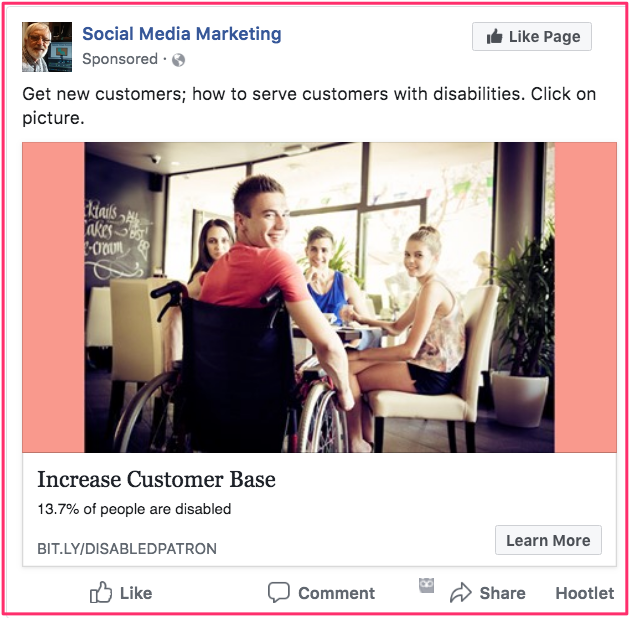
Here is what the actual ad looks like. Clicking on the start button will show the 15-second video. If people watch 10 seconds of it, I will get charged.
Clicking on the Learn More button will take people to the bit.ly/disabledpatron page. However, it does not do that on this page. If you click anywhere on the ad, the video between the pink bars will be the MP4 file video that is in the actual Facebook ad.
Effective advertising on Facebook is all about targeting. This series of blog posts talks about Facebook advertising using very effective quizzes. Facebook pixels can help you collect the statistics about a quiz. You can collect things such as
How many answers for each question were correct?
How popular were the various themes within a quiz?
Who filled out the lead generation form? (Then you can send emails to each of those people.)
The Facebook Pixel is the main tool you can use to track events on a website. You can then use data from the pixel to:
Build custom audiences based upon activity on your website.
Measure conversion activity and determine which ads lead to results such as purchases.
What are Facebook pixels?
Facebook pixels are tiny images within a website to help you track data. You place the image on the website in the form of a code snippet that you get from Facebook
Getting started
1. Create very short quiz
A sample is given below
2. Install Facebook Pixel Helper
Facebook Pixel Helper is to tool to verify that your pixel works properly. It also helps you troubleshoot common errors.
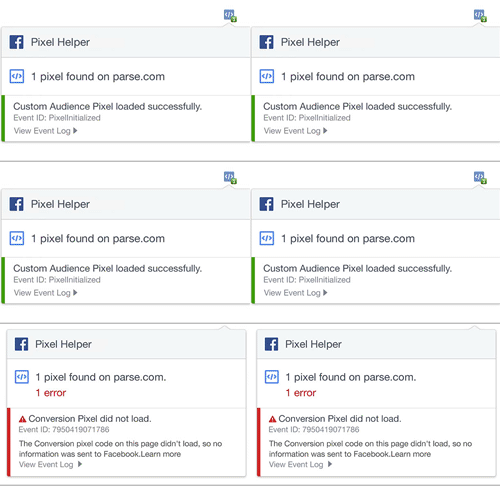
The Pixel Helper works in the background to automatically review the websites for code that looks like the Facebook Pixel. When a website has a Facebook Pixel installed, the </> icon in your browser turns blue and a small badge will appear indicating the number of pixels found on the page.
If the icon does not turn blue then there are no Facebook pixels installed on this page.
Click the </> icon and a small popup appears information for debugging your pixel and seeing the data tracked by the pixel.
Here are the instructions for downloading & installing it: Install Pixel Helper. Read instructions before downloading it.
How to find pixel code snippet
Open Facebook > Ad > 3 bars to left of Ads Manager > Pixels > Details > Set Up > Manually Install the Code Yourself.
You should insert that pixel code just before you closing head tag (</head>).
I use WordPress. To insert the code, I got a free plugin called Header and Footer Scripts Inserter.
So, in Edit mode, I opened the page that needed the code. Then, in my Installed Plugins panel, I clicked on Settings and pasted the code in the panel right below Scripts from this field will be printed in the beginning of HEAD section. Do not place plain text in this!
I clicked the blue Save button. That’s all there was to it.
It is best to insert the pixel code in every web page for which you could possible use statistics involving your Facebook marketing campaign.
Scripts from this field will be printed in the end of HEAD section.
When you market with a quiz or personality test, you are using the most shared content on social media. You will be paying for promoting your quiz on Facebook. However, every time someone shares your quiz, that will be FREE advertising.
Two types of quizzes that can get you lots of social shares are
quizzes that make people laugh and
quizzes that make people realize how good or smart you are.
Facebook advertising to show how smart you are
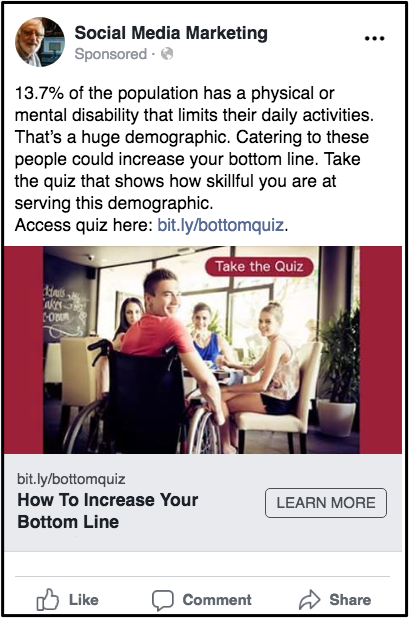
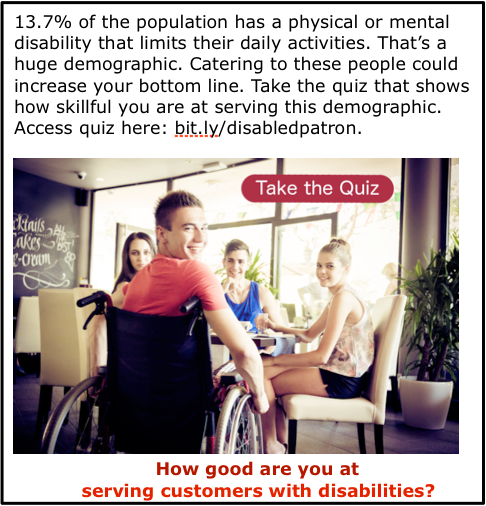
The sample quiz and Facebook ad on this page represents a campaign to sell an e-book to restaurant managers. It is designed to help them train staff how to serve customers with disabilities.
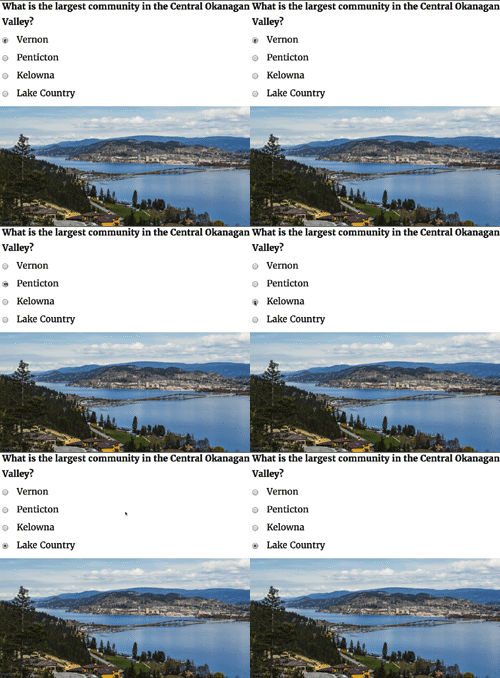
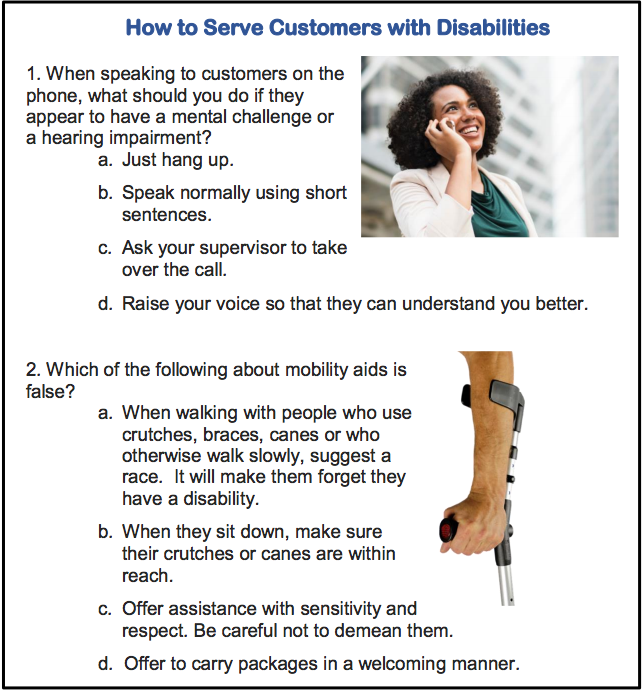
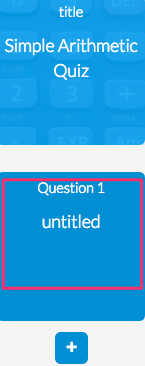
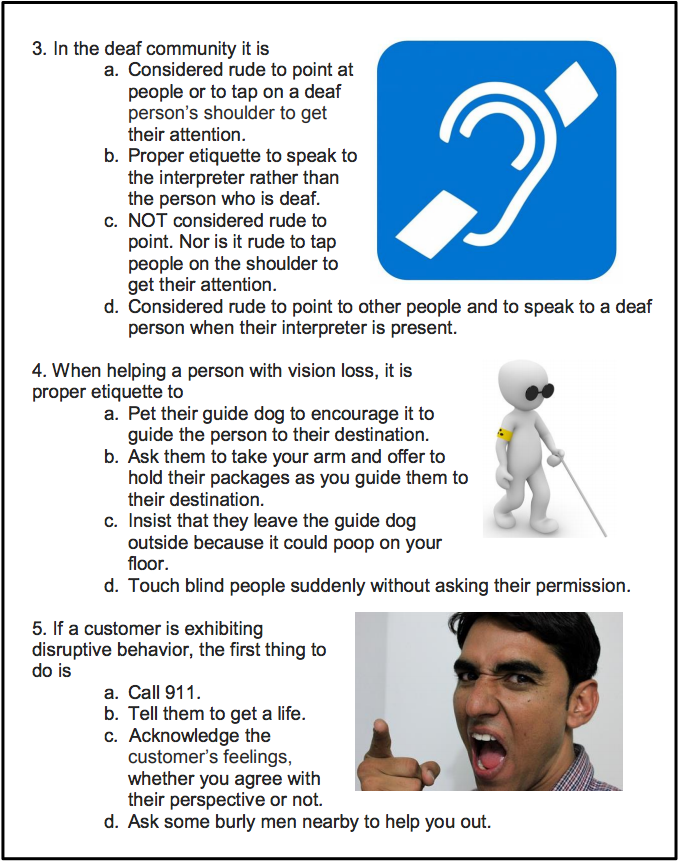
The image above displays the first two of six questions of a quiz aimed at people who are general managers of restaurants. (Over 25,000 Facebook users in Canada list that as their occupation.)
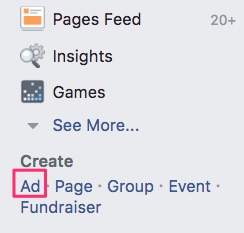
So, once the quiz has been created, you would go to the bottom of the left-hand column in your Facebook account. You would click on Create > Ad. When you get to the Detailed Targeting section, you would type “restaurant” in the Include box. Then you would click on Restaurant General Manager.
The preamble in your advertising says that 13.7% of Canadians have a disability that interferes with their daily life. This often includes going to restaurants that do not cater to people with disabilities very well.
So, the quiz users would show how smart they are by answering a number of questions that teach people a bit about how to cater to restaurant customers with disabilities. It they ace the quiz, they could very likely share the quiz with other restaurant managers they know.
Earn a percentage of the selling price for every book sold.
There a number of different companies that have the software available for creating a quiz. After lots of study, I decided to use Riddle. They have a excellent PDF file telling you just about everything you have to know about how to create online quizzes.
Important tips
Think about the points below. I suspect they will help to make your quiz more effective.
Before making your promotion public, time a friend while he/she is taking the quiz.
It must take under 3 minutes.
If any of the questions are confusing to your friend, change or eliminate them.
Have a maximum of 10 questions.
After someone answers each question,
Set things up that immediately tells whether the answer is right or wrong.
At the same time, give the right answer.
Immediately after the last question & answer, tell them they can see a PDF file with much more background information about each question.
In order to get that PDF file, they will have to fill in a very short form giving their name & email address. (See more below.)
Have a short, punchy title.
I used How to Increase Your Customer Base.
The headline analyzer page will show you how to create headlines that get more views.
Make sure you use an SSL certificate so that people can buy securely from your website.
Make sure you track your various answers with Facebook pixels.
To get them to fill in a form and give their email addresses, you can write something like To read a detailed explanation of why each answer is the correct one, enter your first name & email address. We will immediately email you those explanations. You may want to use AWeber to email out those emails. That’s a better alternative than having someone hang around your email box 24 hours a day.
There is good statistical wisdom behind the above points. If you decide to deviate from any of those points, make sure you read over the Quizmaster PDF file before doing so.
Before using Riddle
Before using Riddle or whatever quiz-creation program you are using, create
a quiz using Word or Pages
a website used to promote the product you want to sell
That website is built around an e-book it is selling.
On that website, have a PDF file that people go to in order to read the rationale behind the quiz answers. (See next paragraph.)
This is part of the email address collecting process.
PDF into web page — I want to have the PDF file in a web page where I’m featuring the product that the quiz is promoting. The PDF file gives more data elaborating on each of the questions.
I use Apple Pages. If you use Word, you will have to adjust the points below a bit.
Write the information for your quiz user in a Pages or Word File. Create the new PDF file using something like the Pages File > Export.
Then go to PDF2Go to compress the PDF file. Save it using only letter and numbers with NO spaces.
Start by saving it in your Finder as a file with no spaces. Then drag that re-named file onto the PDF2GO page. Click the Save button at the bottom. Then click green Download button.
Go to the appropriate WPmadesimple.org page for the rest of the instructions.
View the page that has the new PDF link. Click on the link. The target page is the page URL that AWeber will send to the people who filled out the form. E.g., you would use WPmadesimple to add the PDF file link to this page. Then you would click that link to get to the final PDF page. Quiz users would be willing to give their email addresses so that they could see that final PDF page.
Technical part of creating the quiz
Create quiz questions and answers and also the PDF page before starting technical part
You can use MailChimp instead of AWeber. I talk about AWeber because it is the only email forwarding company I’ve every used and I am very pleased with it. Besides that, I get a small amount of money if you pay for AWeber.
AWeber is one of the most widely used email automation marketing tools on the market today. If you use the process above, AWeber and Riddle will be integrated to make the whole process of collecting leads and quiz responses an intuitive and quick process. Form Intro
Here you insert the text you use to entice the quiz taker into giving their email address. Right after the last question they will still be thinking about giving information. That is the ideal place to ask for their email address.
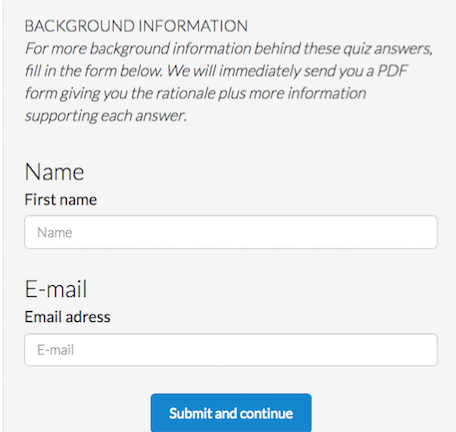
So, have some enticing text in the Description such as this: For more background information behind these quiz answers, fill in the form below. We will immediately send you a PDF form giving you the rationale plus more information supporting each answer.
For the Label you can have a very short title that would draw them into reading the Description. For instance, the italicized text above could have Background Information for the label.
They then fill in the form with their name & email address. That data will go to AWeber. That company will in turn email the quiz user whatever PDF file you gave them.
Campaigns
Campaigns is the AWeber platform that automates sending emails to the right person at the right time.
In the example on this page we will be earning our money by selling a high quality e-book about serving people with disabilities. To promote the product, a website appealing to the target audience (restaurant general managers) was created.
The financial benefit of a restaurant general manager having the e-book would be increased sales. The manager would use the information for staff training. People with disabilities would have more pleasant experiences in the restaurant. They would frequent the restaurant more often as would their friends and families.
In order to make the website more appealing, it would be about more than just customers with disabilities. It would be about how to increase your restaurant sales. So, the domain name howtoincreaseyourrestaurantsales.com was purchased.
I did not want the website to be only about serving people with disabilities. So, it also includes a section on where to get free software to help people order online and also reserve a table.
You may be offering the visitors an e-book in the form of a PDF file. That is what I am doing for How to Serve Customers with Disabilities e-book. I will be hosting it in Google Drive.
The e-book was created using Microsoft Word. I took the final version of the e-book and, in Microsoft Word, clicked on File > Save As. For the saving location I chose a folder in Google Drive. For the file format I selected PDF.
List — The way that you differentiate messages and subscribers from others in your AWeber account. For example, you may have a quiz about a pet grooming business. From the quiz answers you could tell whether someone was mainly interested in dogs or cats. So, one subscribers’ list at AWeber would be about dogs and another would be about cats.
Tag — One element of a subscriber’s information. For instance, you might have a quiz about favourite categories of foods. The category could determine what kind of information you would send the each person. The categories would be called “tags”. One person’s tag could be fruit. Another person’s tag could be vegetables.
You would send these tags to AWeber. Then, when the emails are sent out, there could be a different email for each tag.
Facebook advertising, a combination of 3 parameters
To succeed in Facebook advertising, you must have:
The right targeting
A great image or video
Compelling copy.
Targeting
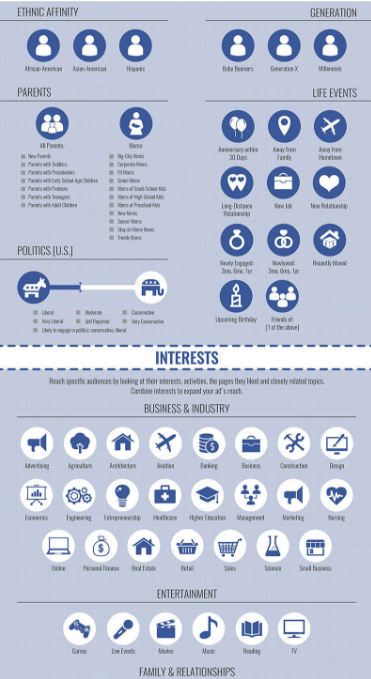
With the right combination of interests, behaviours & location, you can drill down to as low as one person in your target audience.
What you see to the right is part of an infographic called All of Facebook’s Ad Targeting Options. View it here.
Targeting is such a complex concept that you will likely lose money with Facebook advertising if you don’t understand it.
In my case, I want to make a sponsored post in my news feed. It will be targeted towards restaurant managers in Canada.
There were 22,317 people in Canada who had registered “restaurant general manager” as their occupation in their Facebook profiles.
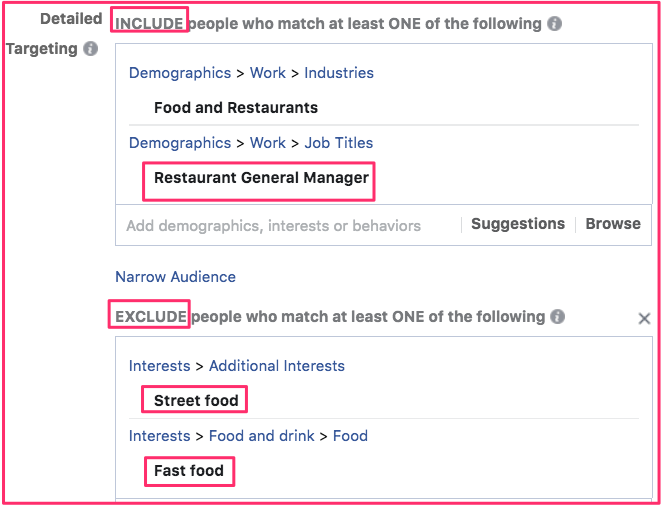
I assumed that the most likely person to be interested in the e-book would be the manager of a restaurant. I also assumed that managers of very small restaurants such as what you’d see in a mall food court would not be interested. So, I tried to exclude people who are interested in fast food.
Note that targeting audiences is not an exact science. Facebook is not able to obtain all of the correct data. So, targeting involves a certain amount of guess work.
Below is how I set up my targeting aimed at people who are most likely to buy an e-book about how to serve people with disabilities.
Sample ad creation with a target market
I opened Facebook and went to Create > Ad near the lower left-hand corner.
For marketing objective I chose Conversions.
Bottom of page: I named my campaign Conversion to Buy E-book.
Left the Languages box blank unless I would have wanted a language other than English.
Under Detailed Targeting, I typed in restaurant manager. That gave me 3 options. I clicked on Restaurant General Manager. For reasons that seem illogical to me, that restricted my potential reach too much. So, I had to add another option.
In the next box (and MUST also match…), I clicked on Suggestions and then Restaurant Management. That increased my potential reach by a huge amount.
Then, still in the Include section, I clicked Suggestions. Then I selected more examples. If the Potential Reach went down and the Daily Reach went up, I would keep it. Otherwise I would delete the selection.
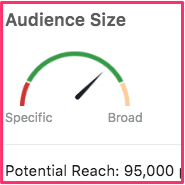
By including more categories, you increase your potential audience. By excluding, you make it more specific. It is best to keep your targeting narrow rather than being broad. Narrower audiences are often easier to reach on a limited budget and are more likely to convert into sales. However, in my case, I could not find a good reason to logically exclude more potental buyers.
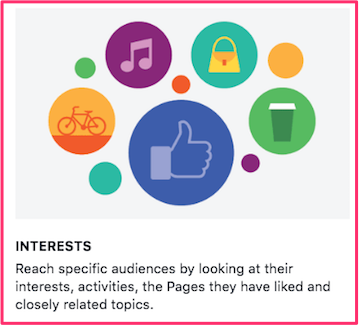
In this section you can also look at your target audience’sinterests. This can be as finely targeted as the type of pages they “liked”.
Also, try to find when they are researching on how to increase customer base.
Clicked Save This Audience.
Budget & daily reach
Up to a point, the more you spend per day, the more people will see your add each day. For instance, my ad could potentially be seen by 71,000 people. With a $2/day budget, an estimated 88 – 460 people per day would see the ad. With a $4/day budget, an estimated 170 – 860 people per day would see the ad.
including & excluding
For my ad, I entered Canada for the location. For what to include in the Detailed Category, I typed in “restaurant manager”. I was presented with 3 choices and I chose “restaurant general manager”. As long as they are the general manager, I am not concerned about their age or gender.
There are other categories that you could include or exclude for your audience. To decide what to do, hover over the letter i. (See graphic above.) That will give you a definition of the category. Use that knowledge to help you decide whether to include or exclude people in that category.
For the Interests category, I excluded people who are interested in Fast Food. My assumption is that most fast food restaurant managers would not be interested in buying our e-book.
A great image
A mediocre image will not do. You have to get a picture that tells a story.
There are plenty of free image websites out there. I went to freeimages.com and entered “restaurant wheelchair” into the search box.
There was no free image that was good enough. So, I clicked the Related Images from iStock button and paid $36 USD for it.
A Facebook ad photo should be 1200 x 628 pixels. So,I used the Eyedropper tool to grab some light red from the man’s shirt and resized my photo with two bars.
Compelling copy
When writing your copy, imagine you are writing to one person and one person alone. That will be the person you have found with your target market.
Focus all of your attention on that one person and his/her needs.
Make sure your text and your image have the same theme.
Write text in a grade 5 or so level.
Have a clear goal.
Have a clear CTA (call to action).
Keep it short. Let them know how we can help them solve a problem in a clear, concise manner. When they read it, they should know:
What you are offering.
How it will benefit them.
What they should do next.
Go to your Facebook feed and read a bunch of ads for ideas.
Run 2 Facebook ads that are identical except for minor changes in text. See which one converts better.
Placement
Budget of $1 or $2/day
Look at case study #4 in the web page of 13 case studies. For $30/month, it cost the company $0.25 to reach each 1000 customers using Facebook advertising. Compare that to $0.75 for LinkedIn and $2.75 for Google AdWords.
In the Placement section of the Facebook Ad Creation page I selected:
Automatic Placements
A budget of $2 CAD/day. This will rise as I am tweaking the ad.
I set the dates to be starting we expect to have the e-book finished. It is set to run for a month. (I will not finish the ad until the e-book actually has been finished.)
Bid strategy is Lowest Cost.
Facebook advertising numbers
You can have: One image plus text
Ad image sizes: 1200 x 628 pixels
Text limit: 90 characters
Headline text limit: 25 characters
Link description limit: 30 characters
Maximum amount of text overlay: Less than 20 percent of image.
Video aspect ratio: 16:9 (full landscape) or 1:1 (square) (other aspect ratios available for specific campaign types)
Maximum video length: 120 minutes
To find the numbers for the less common types of ads, go to the Complete Guide, select the page and Cmd F to search for “slideshow”.
If your image size is not 1200 x 628 px, it will get cropped. So, I resized my photo with two bars.
The link URL was greater than 30 characters. So, I changed it to bit.ly/disabledpatrons.
Analyzing for ROI
To help figure out your Facebook advertising ROI (return on investment), use a Facebook pixel. That is a small piece of Javascript code that you paste into the head section of your key pages. It will tell you how many people take action on your ad and which ad leads to a conversion.
The above does not give enough information. So, read more at Measure Conversions.
Note that the code snippet in orange does not come with your Facebook pixel code. It is one of nine different standard event codes that is added just before the ending script code (</script>).
This particular standard event code tracks when items are added to a shopping cart. Learn more about standard event codes.
If you are having trouble pasting the code snippet into your head section, read over this Header FAQ. If you are confused when it talks about “child theme”, enter
“child theme” into the search box and press Enter.
Misc. valuable information about Facebook advertising
The higher the relevance score, the lower the cost per click (CPC).
If you fail to place the right ad bids, two things might happen:
You’ll pay too much for your ad results or
Your ads will not get delivered due to low bids.
Never assume your advertising strategy is perfect from the beginning. Start with a low dollar amount. Never assume anything. Always test everything.
Average cost per click is $0.20 USD in Canada and $0.26 USD in the USA. source
Run your Facebook ad campaigns with automatic placements for some time. After you’ve got some results, you can exclude the placements where costs are highest.
After you’ve got some results, you can exclude the placements where costs are highest.
The above ad on Facebook was our very first quiz ad. Among other things, that page has the same Add to Cart buttons that you see in the upper right-hand corner of this page.

 This post discusses how you can insert two different types of animated GIFs into Facebook. In a nutshell, to add your animated GIF, you first of all paste the URL of the GIF into Facebook. Then you add a few spaces and type in your text.
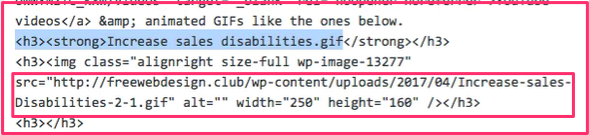 Look at page in Text mode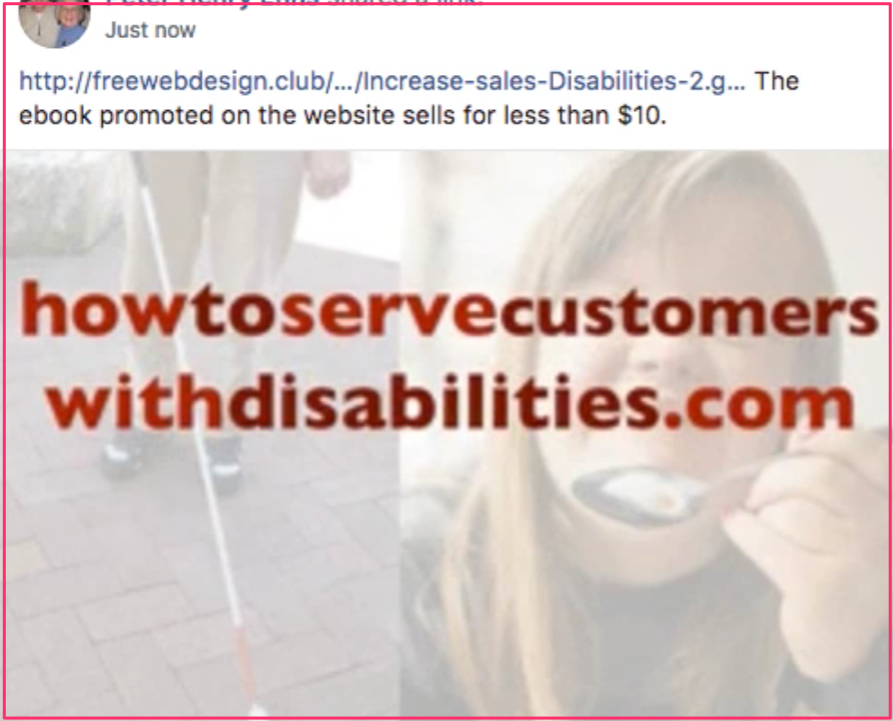
 There is a petition going around Canada demanding that the RCMP arrest Prime Minister Justin Trudeau for treason. Emails & social media send people to the
  Watch the TED talk called
  So, you’ve set up your FB advertising so that the ads are available to your ideal target market. You’ve created an amazing landing page with a call to action (CTA) that will make you a huge number of sales.
 catering to customers with disabilities if a more effective manner.
 Decide upon how you will visually represent that message.
 Create a video and launch your ad.
 We created a
  Want to increase staff morale because they don’t know how to treat customers with disabilities.
 Now let’s talk about falls.
 Use proper signage when floor is wet.
 Ads tab to the right of the Ad Sets tab. Then I clicked the green Create button.
 Several weeks ago I had made a website aiming a my demographic. It had one page designed to help persuade people to buy the ebook. You can see it at
  my clipboard and used Cmd V to paste it into the Facebook ad page where it says Add a Website URL.
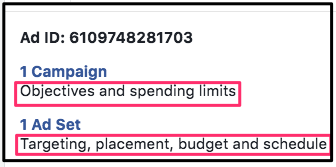 You will see this box near the top of the second panel The daily budget will start out at $6/day. We will add 50% of the net sales revenue to the budget as the money comes in. So, there is not point in dealing with the campaign objectives. However, it was necessary to click on the Ad Set to set my targeting.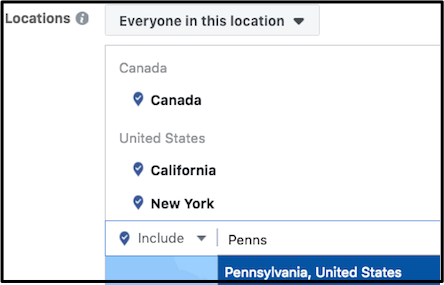
 There were two items with errors show up at the top of the screen. I clicked the drop down arrow and found that one was an ad set from 2 years ago. I clicked the check box and clicked the trash can to remove it.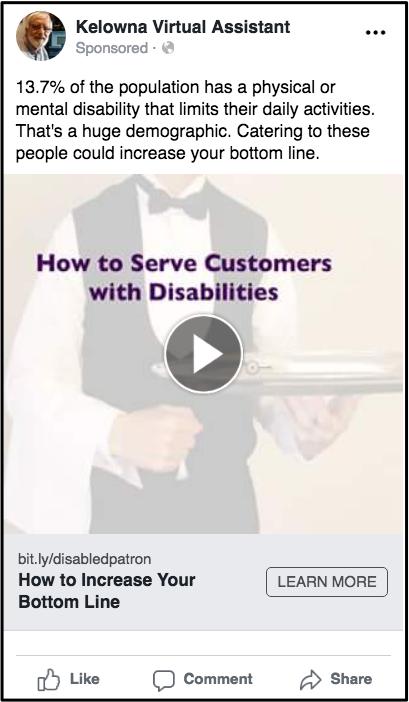
 Effective advertising on Facebook is all about targeting. This series of blog posts talks about Facebook advertising using very effective
  Here are the instructions for downloading & installing it:
  An online quiz is the
  Click on the Dashboard link.
 Click the turquoise Quiz icon
 Give your quiz a title.
 So, once the quiz has been created, you would go to the bottom of the left-hand column in your Facebook account. You would click on Create > Ad. When you get to the Detailed Targeting section, you would type “restaurant” in the Include box. Then you would click on Restaurant General Manager.
 Think about the points below. I suspect they will help to make your quiz more effective.
 Start by saving it in your Finder as a file with no spaces. Then drag that re-named file onto the PDF2GO page. Click the Save button at the bottom. Then click green Download button.
 target page is the page URL that AWeber will send to the people who filled out the form. E.g., you would use WPmadesimple to add the PDF file link to
  If you have already signed up, click on the Dashboard link in the horizontal menu.
 To begin creating a brand new quiz, click Create in the horizontal menu.
 Click the Create link in the horizontal menu.
 Click on Score 0% – 50% button.
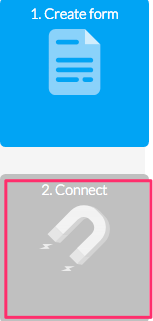 Click on the Collect Leads button after you finished creating the last question & answer.
 Click the Connect to AWeber button.
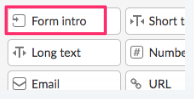 You will see a number of fields that could go into your form.
 The financial benefit of a restaurant general manager having the e-book would be increased sales. The manager would use the information for staff training. People with disabilities would have more pleasant experiences in the restaurant. They would frequent the restaurant more often as would their friends and families.
 To succeed in Facebook advertising, you must have:
 With the right combination of interests, behaviours & location, you can drill down to as low as one person in your target audience.
 Note that targeting audiences is not an exact science. Facebook is not able to obtain all of the correct data. So, targeting involves a certain amount of guess work.
 I opened Facebook and went to Create > Ad near the lower left-hand corner.
 Under Detailed Targeting, I typed in restaurant manager. That gave me 3 options. I clicked on Restaurant General Manager. For reasons that seem illogical to me, that restricted my potential reach too much. So, I had to add another option.
 By including more categories, you increase your potential audience. By excluding, you make it more specific. It is best to keep your targeting narrow rather than being broad. Narrower audiences are often easier to reach on a limited budget and are
  interests. This can be as finely targeted as the type of pages they “liked”.
 There are other categories that you could include or exclude for your audience. To decide what to do, hover over the letter i. (See graphic above.) That will give you a definition of the category. Use that knowledge to help you decide whether to include or exclude people in that category.
 A mediocre image will not do. You have to get a picture that tells a story.
 you are confused when it talks about “child theme”, enter