You don’t want to shell out the monthly expense of a data plan. So, you stand outside a coffee shop, hair salon or any place that has free wifi — but you have no VPN.
Perhaps you are at an airport waiting for your flight. You want to catch up on some business. So, you log into the free wifi.
Hacking Risk
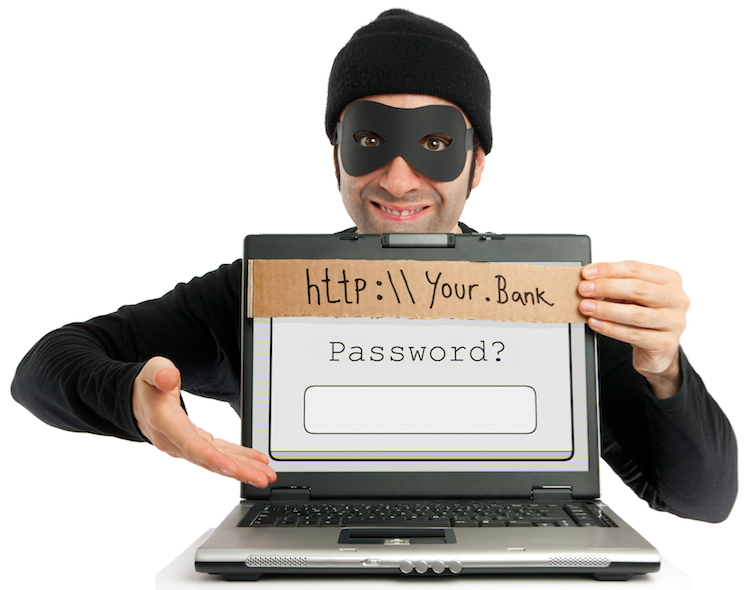
What you may not realize is that you are at a definite risk of being hacked. A hacker could be sitting nearby with a laptop using a program that mimics the legitimate free wifi.
The mimicking wifi has a name similar to the free wifi. If the free wifi is Paris Airport, the mimicking wifi could be called Airport Paris. The hacker can see whatever you are doing online. He can steal passwords, credit card numbers and any other things you download or upload.
The technology that eliminates the risk is called PrivateVPN (VPN stands for virtual private network). Log into the free wifi. Before doing anything that would expose private information, log into PrivateVPN. (You can get a free 7-day trial VPN now if you wish.)
When you login, your signal goes through an encryption tunnel and gives you a completely different IP address.
You log into the free wifi from that new IP address. No hacker will be able to hack into your mobile device.
Enjoy a secure web experience with PrivateVPN
PrivateVPN, a Swedish-based VPN provider, offers:
The highest levels of security and privacy,
Stable connections from anywhere in the world
Uninterrupted VPN service — 24 hours a day — guaranteed.
A reasonable price!
First-rate service
Customer support that is second to none! They assist customers through live chat, email and remote desktop help through their TeamViewer system. They’re here to help you in any way they can.
PrivateVPN’s extra-secure online servers completely mask your online identity. You will stay anonymous the entire time you’re connected to the internet.
Evidence tells us that working with that free wifi is risky. There also is evidence that protecting yourself using a VPN (virtual private network) is foolproof. PrivateVPN is your answer to protecting yourself.
You may consider logging into the free wifi from your hotel room. You may never consider that the guy down the hall may be using an evil twin.
Cybersecurity experts say that there are three types of people in the world:
People who have been hacked,
People who will be hacked, and
People who are being hacked right now but don’t know it yet.
By using the free wifi, you may inadvertently be allowing hackers to get passwords, account numbers, etc.
Think about this statistic: The number of identity theft victims in the US rose to 15.4 million in 2016.
Evidence that people are using free wifi
It’s safe to say that delegates who attend political conventions are reasonably intelligent. They could represent a good cross section of the American population
Someone gather statistics from the 2016 Republican and Democratic National Conventions. Around 70% of delegates connected to the nonsecure Wi-Fi networks at each of the conferences.
Here’s how it could work: You log on to the free Wi-Fi in the convention hall. You think you’re joining the hotel’s network. Somewhere nearby, a hacker is outputting a Wi-Fi signal off of their laptop. It has a name slightly different from the hotel’s signal. You are tricked into using it because it is labeled with the hotel’s name.
The hacker can see every username, password & credit card number you enter.
Avoiding that hacker
There is a simple way to avoid that hacker in the above scenario. It’s called PrivateVPN. You install it on your desktop & mobile devices. (Buy it once & you can use it on 6 devices.)
Before you log into the free wifi, open PrivateVPN. It will find an encryption tunnel to the country of your choice. In that country you will get a new temporary IP address.
You can use the free wifi at your heart’s content. The hacker will not be able to find you.
In 2014 experts from Kaspersky Lab uncovered a very sophisticated hacking campaign called “Dark Hotel.” Operating for more than seven years and believed to be a sophisticated economic espionage campaign by an unknown country, Dark Hotel targeted CEOs, government agencies, U.S. executives, NGOs, and other high-value targets while they were in Asia. When executives connected to their luxury hotel’s Wi-Fi network and downloaded what they believed were regular software updates, their devices were infected with malware. This malware could sit inactive and undetected for several months before being remotely accessed to obtain sensitive information on the device. Read more.
Using this website
It takes a great deal of time & research to create blogs on this website. So, when you choose a VPN, please buy PrivateVPN from this web page.
I will make a commission each time you do. It will help repay me for my time & effort creating this blog.
Besides that, you will have the added benefit of being able to use free wifi with complete peace of mind.
Advertisers and tracking companies don’t respect your privacy. They use various techniques to record your Internet browsing habits. They collect all kinds of information:
Websites you have visited
Kind of products you are interested in
Your political ideologies
Health conditions.
There are other reasons why you may not want people to be able to see your Internet use:
You are a celebrity
You are an employee doing market research of your competition
You are a reporter, law enforcement officer or writer covering sensitive topics. You want to make your computer untraceable to prevent reprisals.
Online search choices are then attached to your computer’s IP address
Subsequently used to customize the advertising and future searches for your machine
Zero respect for your privacy
Privacy solution: PrivateVPN
There is a technique to protect you from those prying eyes. It’s called using PrivateVPN (virtual private network). It makes you untraceable on the Internet.
When you start a web surf, you go straight to PrivateVPN and BYPASS YOUR ISP (Internet service provider). When you get to the website you want, you will be using the IP address of the particular PrivateVPN server. Whoever would like to track you does not know it is you.
Makes your online activity completely illegible to eavesdroppers
Manipulates your IP address
Makes you appear to come from a different machine/location/country.
You may be concerned about the wrong party:
Getting information about your browsing habits
Using your IP address to charge you more or
Using hackers for major cybersecurity breaches.
Wherever you lie in that spectrum, PrivateVPN will be a good step in the right direction.
In the case of PrivateVPN, the signal may even jump to a server in another country before you get to the website. The snooper won’t even know what country you’re from.
10 reasons why people may want PrivateVPN
Intranet outside the office
PrivateVPN will allow employees to access a corporate intranet in complete privacy while located outside the office.
Secure chat rooms
Your girlfriend, wife or business partner can enter the URL of a chat room to take part in a secret chat.
Con men
Every place you go to, your online activities can be monitored by Internet service providers, government organizations or criminals. Protect ourselves against malware or con tricks when web browsing.
Securely connect separated offices
Use PrivateVPN to securely connect geographically separated offices of an organization, creating one cohesive network.
Circumvent political censorship
Secure your transactions with PrivateVPN to circumvent geo-restrictions and censorship. Countries like Afghanistan, Belarus, China, Cuba, Egypt, Saudi Arabia and Syria surveil and limit access to the Internet. Activists and journalists in one of these countries can connect to PrivateVPN server and tunnel out of the censorship restrictions. PrivateVPN conceals your page-by-page activity from any government eavesdropping.
YouTube users might have come across a message that says, “This video is not available in your country”. PrivateVPN’s free YouTube proxy allows you to watch any video with zero constraints.
Note that you must add Private VPN to your computer before you arrive in the geo-restricted country.
Online shopping
Do you get annoyed by the shopping sites keeping tabs on you? They start sending you ads related to where you shop. PrivateVPN makes that a thing of the past.
Test online strategies geographically
PrivateVPN’s services allow SEO and marketing professionals to connect to servers in different regions to test their strategies and processes.
Make public wifi private
Those Starbucks or McDonald’s hotspots are not safe for confidential email and browsing. Public wi-fi offers no encryption security to its users, and your signals are broadcast for anyone savvy enough to eavesdrop.
Accessing insecure websites makes it easy to steal your private information.
It’s very easy for even a beginner hacker to intercept your unencrypted wi-fi signal using an Evil Twin phony hotspot or a Firefox Tamper Data plugin. Mobile users should consider spending the 4 to 5 dollars per month for the safety of a PrivateVPN connection.
Secure Skype phoning
It’s relatively easy to eavesdrop on Voice-over-IP (Internet telephoning). Even intermediate-level hackers can listen in to your VOIP calls. Perhaps you regularly use VOIP services like Skype. If you log into a public wi-fi network and then connect to your PrivateVPN, all of your hotspot web use will then be encrypted and hidden from prying ears & eyes.
Make booking flights & accommodation cheaper
Flight and accommodation Booking websites:
Display different fees based on users location and currency.
Use tracking of your online activity
Allows them to increase the fee on your next visit
To ensure the cheapest rates, use PrivateVPN services whenever planning your next trip.
Free 7-day trial
If you wish to tryout a VPN at no cost for 7 days, go to free 7-day trial VPN. No credit card is required.
You will create a password that allows you to use PrivateVPN from anywhere in the world — on up to 6 devices at the same time.
It takes only a few minutes before your own PrivateVPN will be downloaded into your Downloads folder. Double click on it and then drag the PrivateVPN app into your applications folder icon.
In a few seconds you will actually see it within your actual applications folder.
Double click on PrivateVPN. Fill in the email address and password that you gave during registration.
Click on the country list link. Click on the country from which you want to appear to be browsing.
Suppose you tested your new PrivateVPN out by clicking on the Belgium country link. Then search for what is my IP address? IP Lookup will give your IP address. Click on Get IP Details.
You will see data telling that you are in Belgium.
During the next 7 days, test out everything you can think of.
Email problems?
After you have used your PrivateVPN, you may be unable to use your regular email. That’s because you are not using your regular IP address.
To enable your regular IP address, click on PrivateVPN in your applications folder. You will get a PrivateVPN panel. Click on the button in the centre of the panel & your home IP address will be set up again. Then you email will work the way it did before you got PrivateVPN.
Blogger’s notes
To buy PrivateVPN, please click on any PrivateVPN link on this blog post. I will get a commission & it will help defray the cost of creating and keeping up this website.



 The mimicking wifi has a name similar to the free wifi. If the free wifi is Paris Airport, the mimicking wifi could be called Airport Paris. The hacker can see whatever you are doing online. He can steal passwords, credit card numbers and any other things you download or upload.
 The technology that eliminates the risk is called PrivateVPN (VPN stands for virtual private network). Log into the free wifi. Before doing anything that would expose private information, log into PrivateVPN. (You can get a free 7-day trial VPN now if you wish.)
 When you login, your signal goes through an encryption tunnel and gives you a completely different IP address.
 You log into the free wifi from that new IP address. No hacker will be able to hack into your mobile device.
 People who have been hacked,
 Advertisers and tracking companies don’t respect your privacy. They use various techniques to record your Internet browsing habits. They collect all kinds of information:
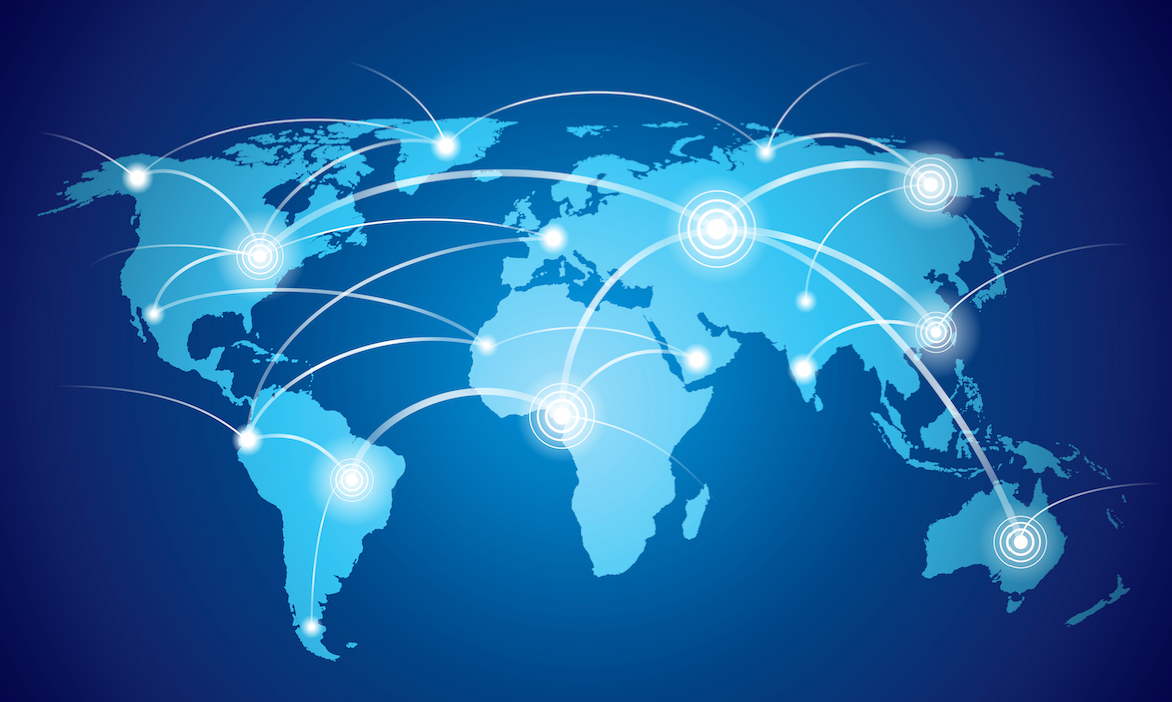 When you start a web surf, you go straight to PrivateVPN and BYPASS YOUR ISP (Internet service provider). When you get to the website you want, you will be using the IP address of the particular PrivateVPN server. Whoever would like to track you does not know it is you.
 to PrivateVPN server and tunnel out of the censorship restrictions. PrivateVPN conceals your page-by-page activity from any government eavesdropping.
 Flight and accommodation Booking websites:
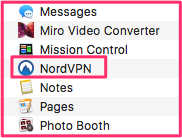 In a few seconds you will actually see it within your actual applications folder.
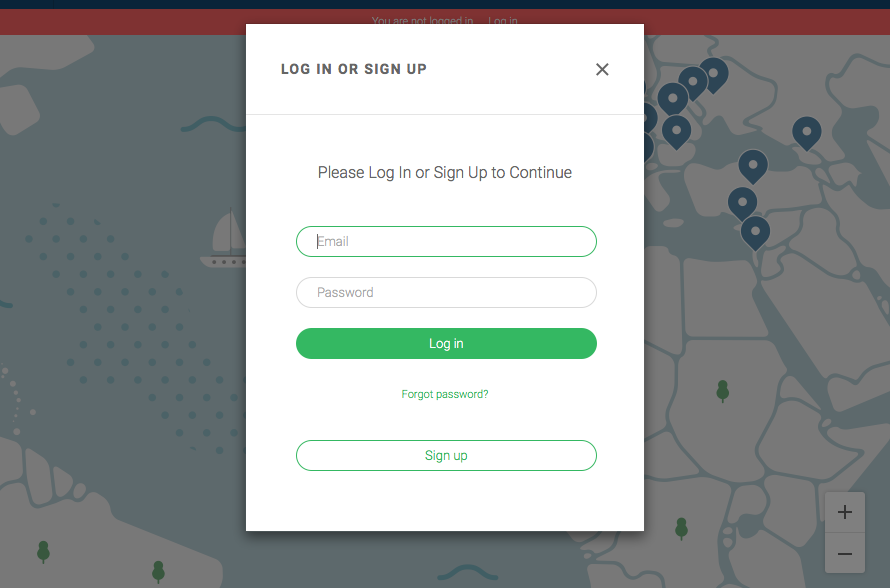 Double click on
  Click on the country list link. Click on the country from which you want to appear to be browsing.
 address?
 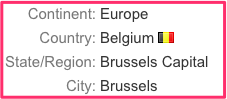 You will see data telling that you are in Belgium.