
Social media icons for better branding
 Use good social media marketing techniques to help brand your product, company, self, etc. One technique involves including social media icons at the bottom of every email you send out. These will link to the corresponding social media pages. This blog post tells how to add the social media icons to the bottom of every Mac Mail email you send out.
What to include in your signature
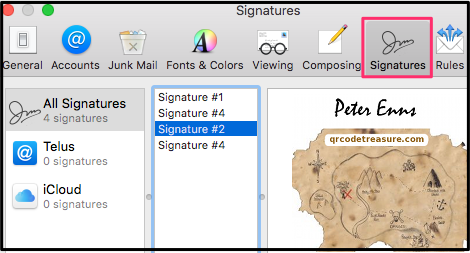 Your social media icons will be included in your Mac Mail signature. For ideal social media marketing, this is what to include in the signature:
1. Your name in colour using a unique font
2. Your email address and position in your company
3. Link to your website
4. Social Media images with links to corresponding pages.
(If you don’t want to add the icons, etc. yourself, the people at Kelowna Virtual Assistantcan do it for you.)
Adding the icons in 8 steps
- In Mac Mail,
 click New Message
 - Add a line of underscores, your name, position & other contact information as seen in this image
- Drag and drop
 pertinent social media logos from Finder to beneath text. (Note that the logos in this image were saved with GIMP at 50 px. high with a 5 px white bar on each side. If they are too overpowering, reduce their height using GIMP. To find the icons in the first place, enter keywords such as these into your search bar: images instagram logo.)
 - Highlight your email address and website URL and add clickable
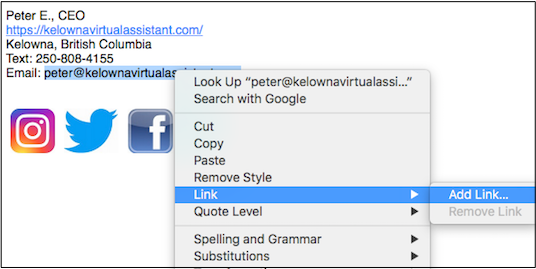 links to each. To do this, highlight the email address, right-click and select Link > Add link. Note
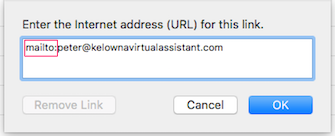 that for the email address you have to add “mailto:” in front of the email address.
 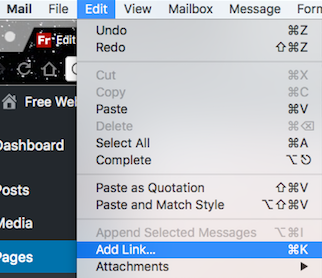 For each social media icon, find your profile corresponding to social media. Click on the image, and then click the Edit > Add link.
- Highlight your name
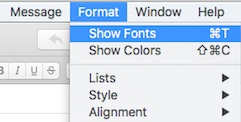 and click Format > Show Fonts.
Select the font that you would like for your signature. 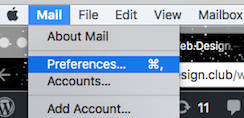 Highlight everything you just created and press Cmd C to copy it into your clipboard. In the Apple Mail menu select Preferences > Signature.
- If you already have signatures, ignore them and click the +button to add a new signature. If you want this to be the default signature for a specific account, choose the account from the left menu before adding the new signature. Enter a name for the signature and press Cmd V to paste your new signature into the box. Once this is done, click the tiny red close button in the upper left-hand corner.